OEM Global Diagnostic System (GDS) KIA Dealer Scan Tool
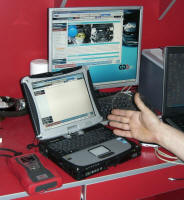
"Дилерская" информационно-диагностическая система КИА в обычном автосервисе
Текст статьи с описанием этой системы
Как уже неоднократно отмечалось в наших статьях, согласно действующим правилам производители автомобилей обязаны предоставлять не уполномоченным сервисным станциям возможность приобретения так называемого «дилерского» оборудования. Перечень всех устройств, проверочных стендов, инструмента äëÿ äèàãíîñòèêè è ðåìîíòà àâòîìîáèëåé, ïðîâåðêè ðàñõîäà è ò.ä. занял бы слишком много места, но мы остановимся на одном весьма важном классе такового оборудования и рассмотрим на примере КИА возможности «заводской» диагностическо-информационной системы GDS, приобретение которой вполне возможно, в том числе и в Украине. Но в начале несколько общих замечаний.
"...Главный постулат при использовании данного вида диагностического оборудования (сканера диагностики) состоит в том, что только применение «заводских средств сканирования» позволяет осуществить полноценную диагностику и является гарантией избегания казусов, свойственных так называемым «мультимарочникам» - сканерам сторонних производителей, которые пытаются хоть как-то уследить за всеми инновациями производителей. Обратной стороной медали применения качественного средства диагностики является относительно большая цена, но по счастью, уже никто не оспаривает что и в этой теме поговорка «дешева рыбка – погана юшка» актуальна и в области автотехобслуживания. В настоящее время практически каждой СТО под силу купить так называемый дилерский сканер и по вполне доступной цене. Кроме этого, как уже описывалось в статьях о доступе к ремонтной информации, автопроизводители обязаны обеспечивать возможность покупки независимыми техниками диагностических средств «от производителя»..."
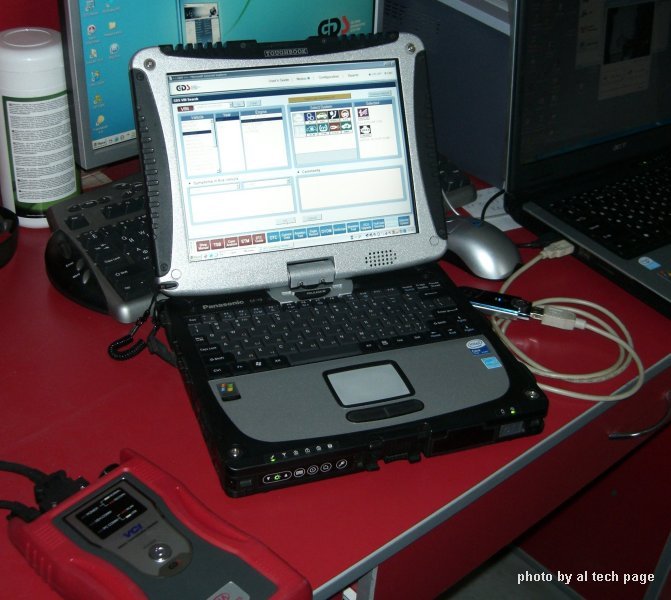
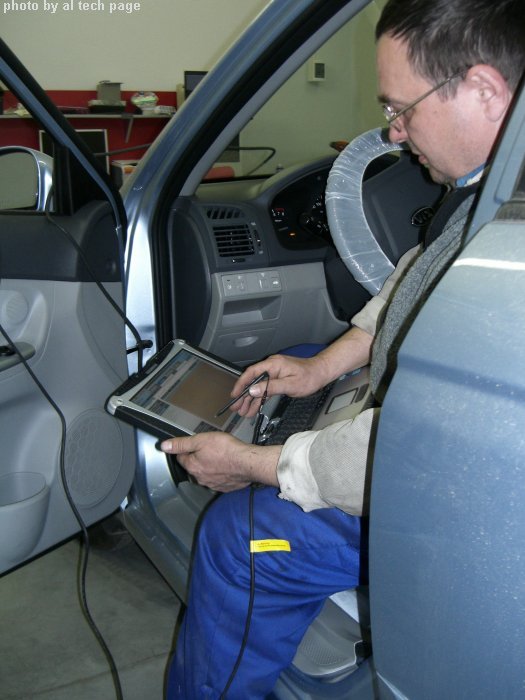
"...В комплект поставки могут входить дополнительные компоненты и аксессуары.
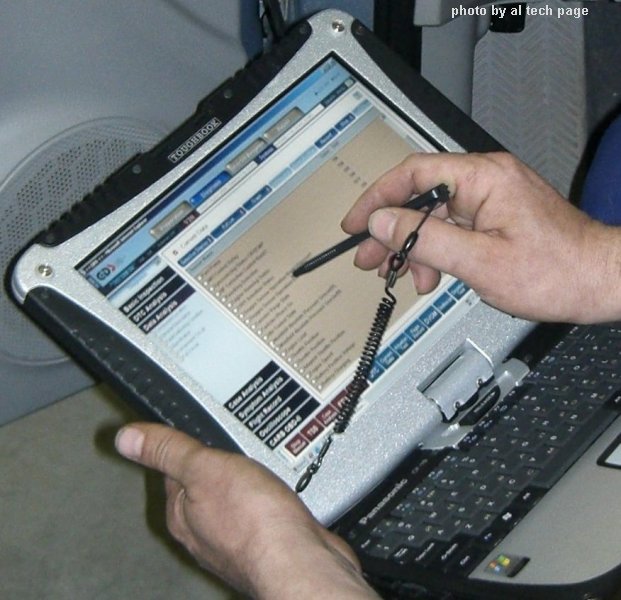
Èíôîðìàöèîííî-äèàãíîñòè÷åñêàÿ ñистема достаточно лояльна и один и тот же блок VCI можно прописать в нескольких компьютерах, что позволяет выбрать наиболее подходящий в зависимости от обстоятельств диагностики или стоящей перед исполнителем задачи. Использование полноценного монитора позволяет намного расширить функциональные возможности и увеличить производительность и качество труда. В одном функциональном экране можно просматривать и результаты диагностики и значения контекстных параметров и одновременно справочные данные этих параметров, фрагменты принципиальных схем или описание методик проверок конкретных устройств, которые нужны на конкретном этапе работы.
Использование полноценного компьютера позволяет хранение огромных массивов информационных баз и обеспечивает пользователя всеми возможностями операционной системы Windows. Это позволяет повысить качество диагностики и сократить время ее проведения, проводить перепрограммирование блоков управления, создание баз данных клиентов и неисправностей. Беспроводная связь между VCI и компьютерам делает работу намного комфортней и увеличивает функциональные возможности при проведении тестовых проверок...".
|
|
|
|
Minimum System Requirements.
Laptop or desktop PC with 1.1GHz processor Windows XP Professional (XP Pro is the ONLY supported OS at this time)
Internet Explorer 6 (IE7 is NOT supported at this time)
512MB RAM
Greater than 60GB HDD
DVD Drive
Available USB port
Note: If a desktop PC is used, the distance between the PC and the vehicle bay
must be considered. The maximum allowable length for a USB cable is 5 meters (16
feet, 5 inches).
Components
The GDS Basic Kit (P/N GITGDSP20012) includes:
- Vehicle Communications Interface (VCI),
- Diagnostic cables/Flight Record Trigger,
- VCI power supply,
- VCI USB cable,
-
Software (DVD) for PC installation.
Pricing: The GDS Basic is being offered to Kia Dealers at an introductory price
of $US 2,969.00.
In order to search for a DTC procedure, perform the following:
• Select a model and a model year from the appropriate drop-downs
• Check the “Subject”, “Content”, and “DTC” boxes
• Check the “Shop Manual” and “DTC Analysis" boxes
• Optionally, check the desired “Bulletin” boxes to expand the search
• Enter at least two consecutive characters of the DTC in the “Search String” area. (P1159, 1159, P1, 11, and 59 are all examples of valid DTC search criteria)
• Click the “Go” button.
A new
method is now available to access Immobilizer PIN codes and key codes via the
Kia Global Information System (KGIS) and the Global Diagnostic System (GDS).
This method supersedes the Pincode program previously released. Please refer to
the instructions below to access Immobilizer PIN codes and vehicle key codes.
Access Procedure (KGIS):
NOTE: PC must have ActiveX controls enabled to use this function
From the KGIS Home Page, enter the 17-digit VIN in the space provided and click "GO".
Toll-Free Order Line: 1-866-KIA MANUALS (1-866-542-6268)
Note: Global Diagnostic System (GDS) users should access the "Notice"
function from the GDS Main Screen for instructions regarding ECU upgrade events.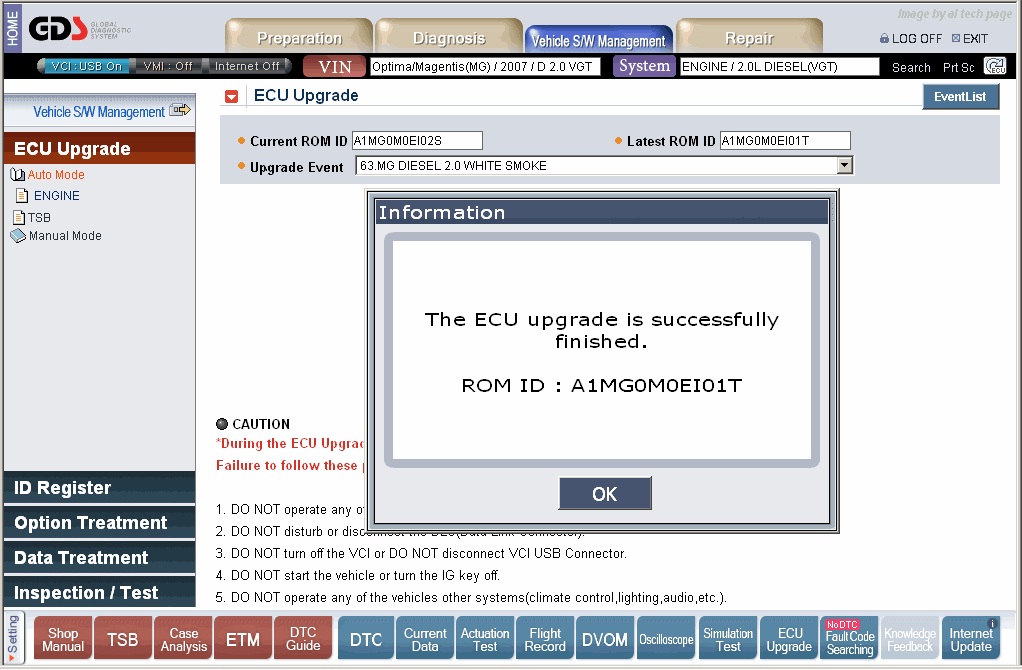
If attempting to perform the PCM upgrade with the power supply cable disconnected from the GDS tool, be sure to check that the GDS tool is fully charged before PCM upgrade. If the GDS tool is not fully charged, failure to perform the PCM upgrade may occur. Therefore, it is strongly recommended that the power supply connector be connected to the GDS tool.
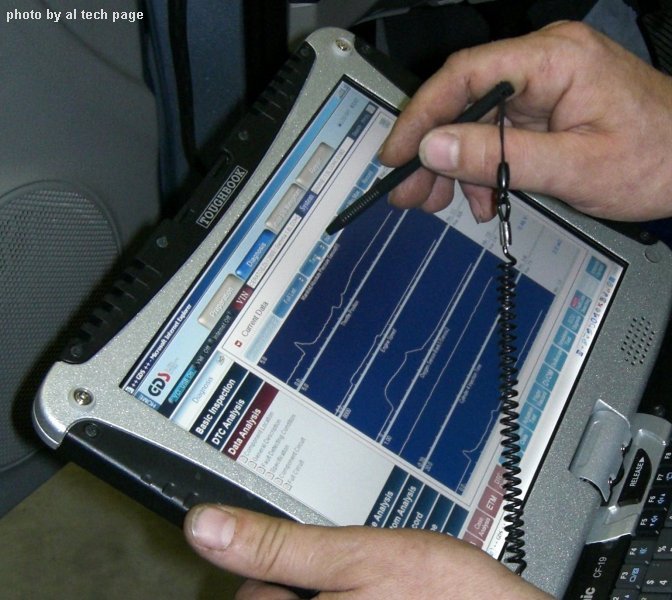
"...Результаты
проведения тестов выводятся на экран, как в виде таблиц, так и в форме графиков.
Весьма полезна функция Flight Record, которая позволяет проводить запись
выбранных параметров неисправной системы при движении автомобиля с возможностью
последующего воспроизведения данных и проведения полноценного анализа состояния
исполнительных механизмов и датчиков. Для удобства пользователя возможны
несколько способов начала записи данных: ручной пуск, автозапуск при
возникновении неисправности и другие.
В остальном этот сканер соответствует обычным требованиям к так называемым «заводским» средствам сканирования, ê которым только пытаются приблизиться "мультимарочники".
È êîíå÷íî, òî ñàìîå "ïåðåïðîãðàììèðîâàíèå", êîòîðîå ïîçâîëÿåò èçáàâèòü ñîâðåìåííûé àâòîìîáèëü îò ìíîæåñòâà "âðîæäåííûõ íåäîñòàòêîâ". Ñîãëàñèòåñü, ÷òî ïðèÿòíî âèäåòü òàêóþ "êàðòèíêó" íà ýêðàíå êîìïà äàëåêî íå the manufacturer franchised è î÷åíü aftermarket Service Shop-à.
|
|
 Ïîèñê (Search on Site)
|
2009 al
tech page |